How to send messages from a workflow
Help and guidance for How to send messages from a workflow.
Updated July 13, 20261 min read
#If you don’t set Blooio as your default provider
If you don’t have blooio set up as your default provider like in this example,
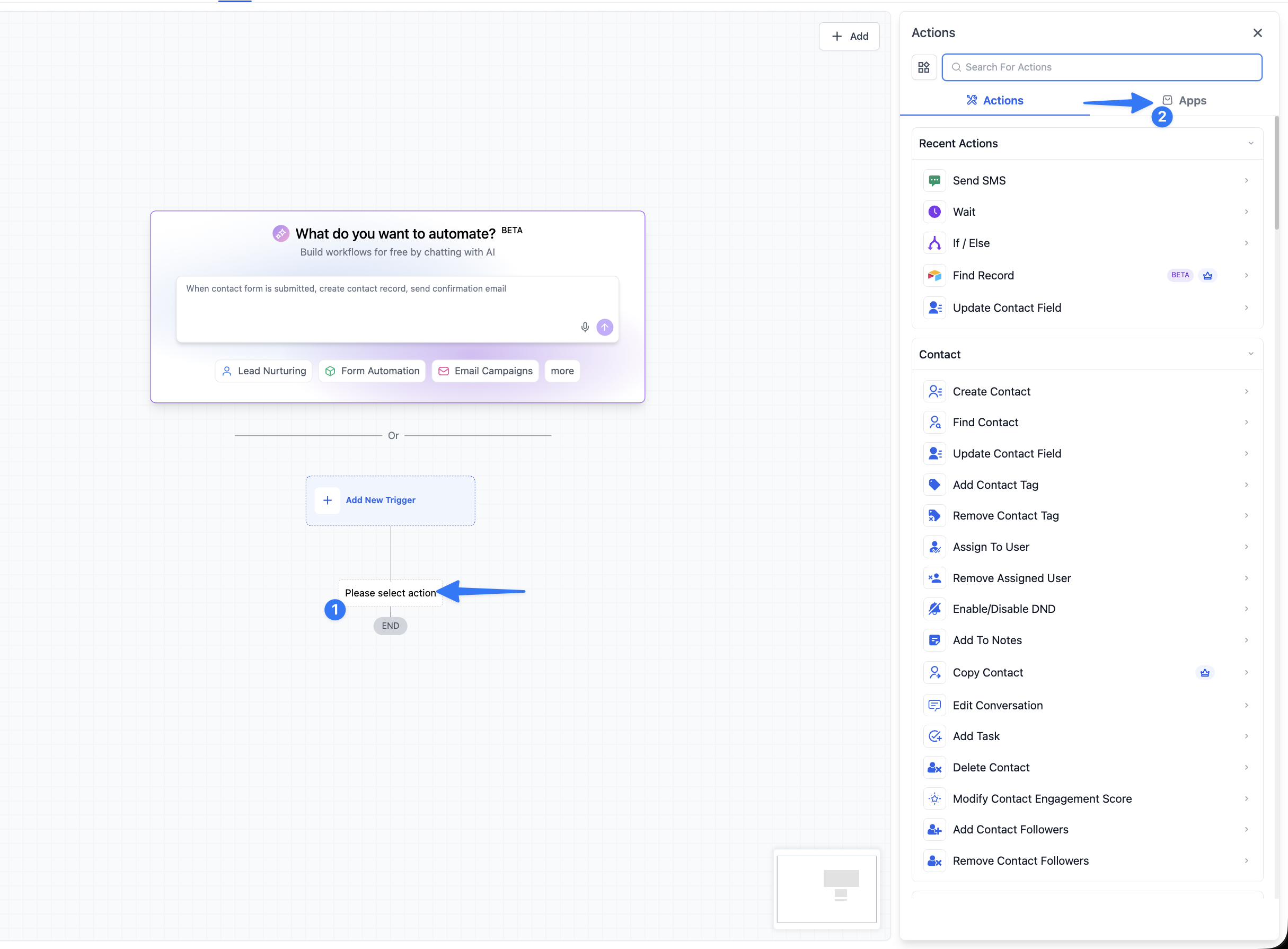
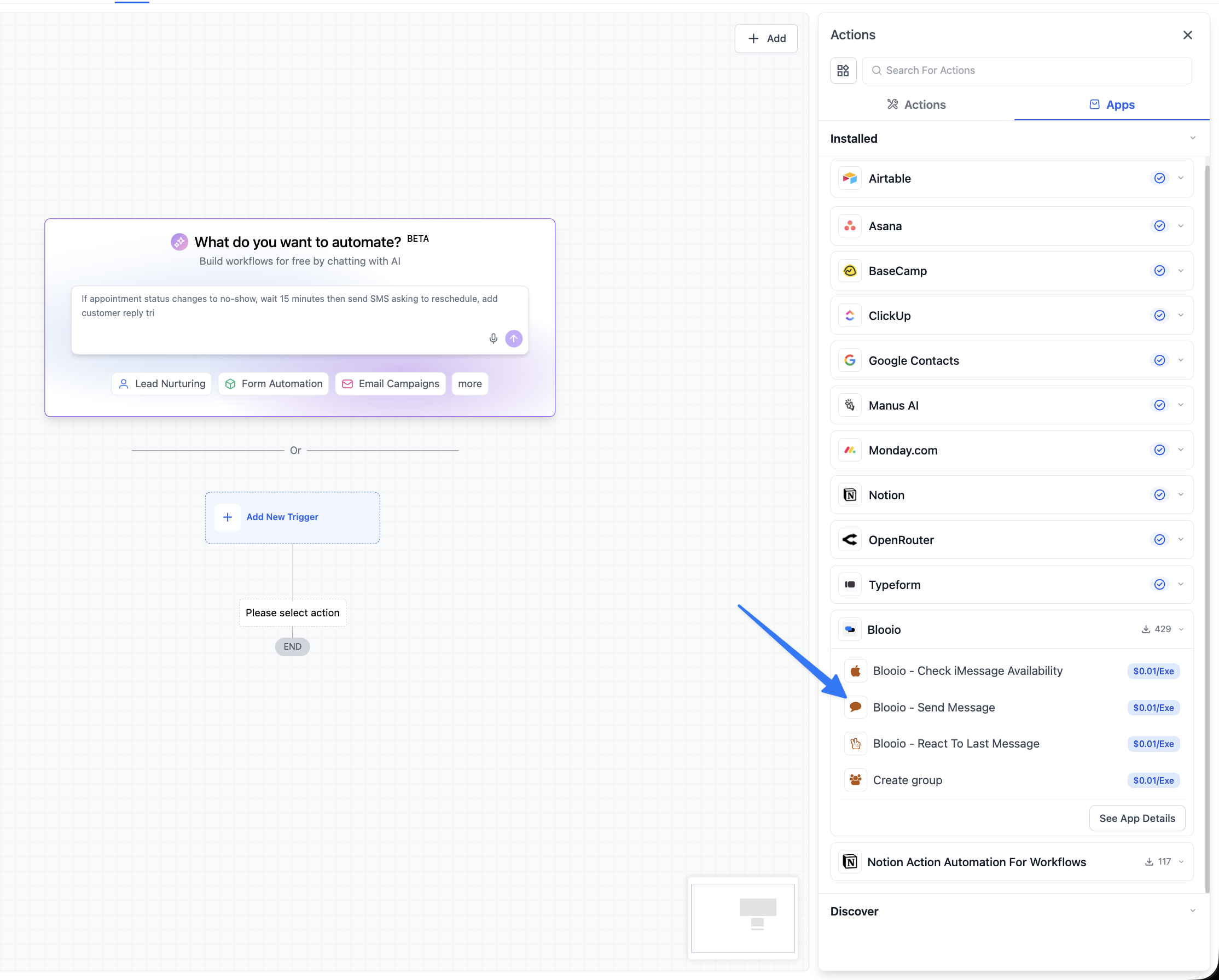
Then you will need to use the blooio node in the workflow. You can find the blooio node under apps. See screenshot:
- Click add action (not triggers)
- Click on Apps on the top right
- Find blooio and you will see all the nodes blooio offers
#If you have blooio set as the default provider
You can use the default SMS node and it will send using blooio. This is great if you are trying to avoid the $0.01 charge that high level charges per execution for “premium actions”
Related articles
Getting started guideHelp and guidance for Getting started guide.How to open a support ticketOpen a support ticket from your Blooio dashboard so our team can help you fast — a quick, step-by-step walkthrough with screenshots.How to connect Zapier with BlooioConnect Zapier with a Blooio API key for message actions, inbound triggers, and custom v4 requests.