How to react to messages using High Level
Help and guidance for How to react to messages using High Level.
Updated July 13, 20261 min read
#How to set it up
To react to messages, create workflows in high level with the desired reaction
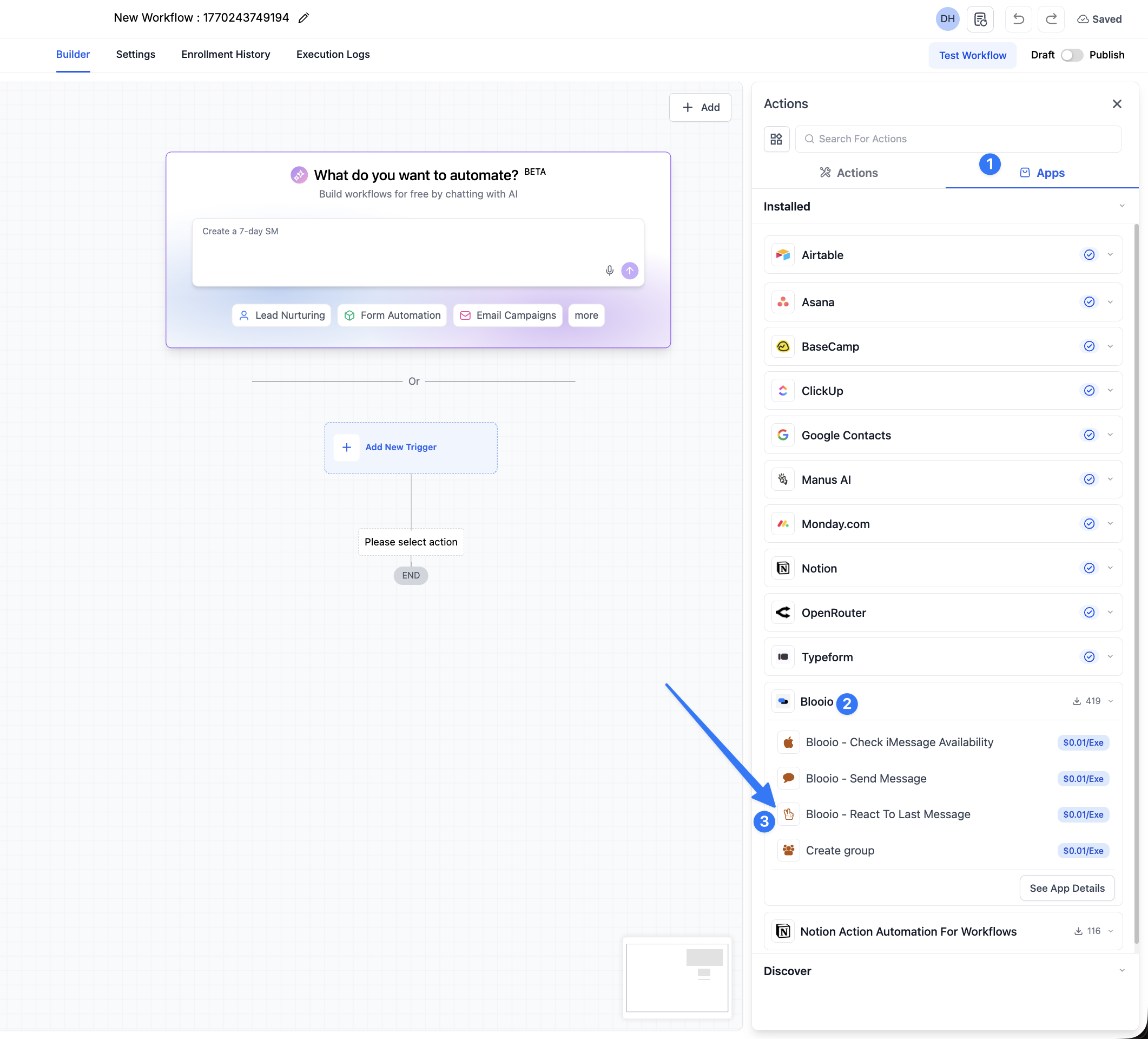
Choose which reaction you want to add for that workflow. People usually have thumbs up for one workflow, thumbs down for another, and so on.
Leave the trigger empty since you will be triggering it manually later
Make sure you allow re-entry in the workflow since you want to react to people’s messages multiple time.
#How to use it
To use it, you can trigger that workflow from the conversation view like this
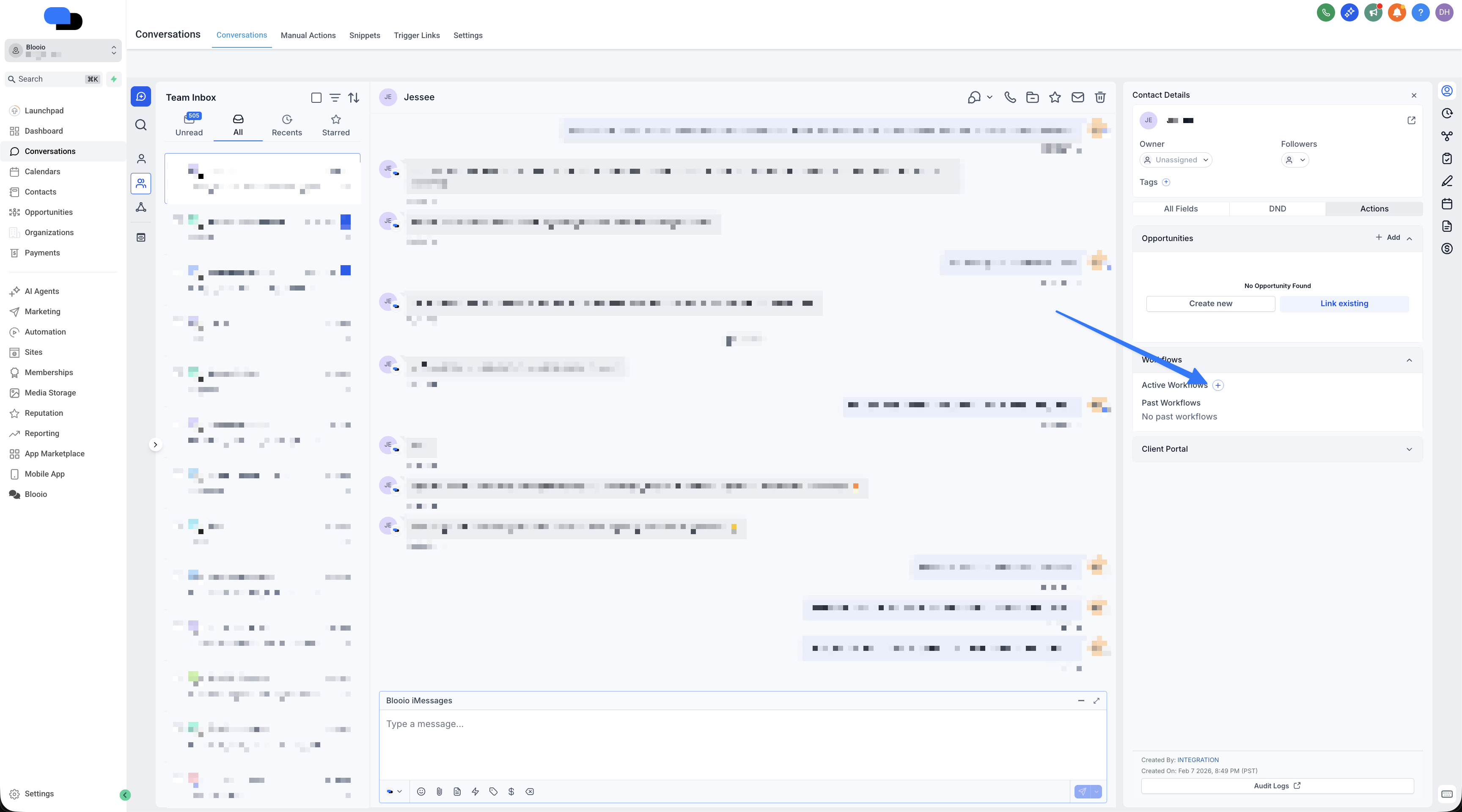
Then choose the workflow you created and it will add the reaction you need
You can trigger these workflows from your iPhone/Android as well using the leadconnector/GHL app on either platform.
Related articles
Getting started guideHelp and guidance for Getting started guide.How to open a support ticketOpen a support ticket from your Blooio dashboard so our team can help you fast — a quick, step-by-step walkthrough with screenshots.How to connect Zapier with BlooioConnect Zapier with a Blooio API key for message actions, inbound triggers, and custom v4 requests.