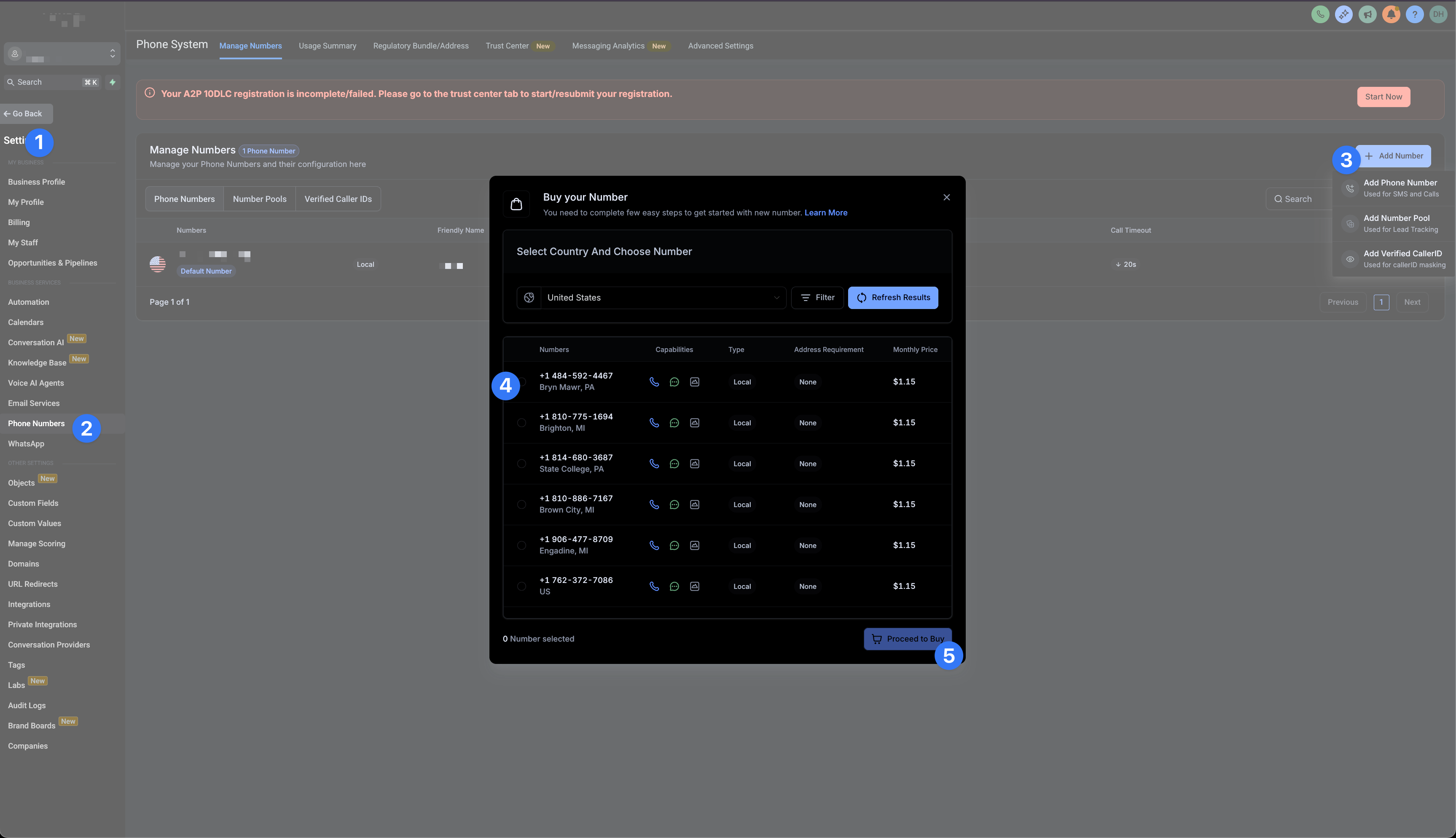
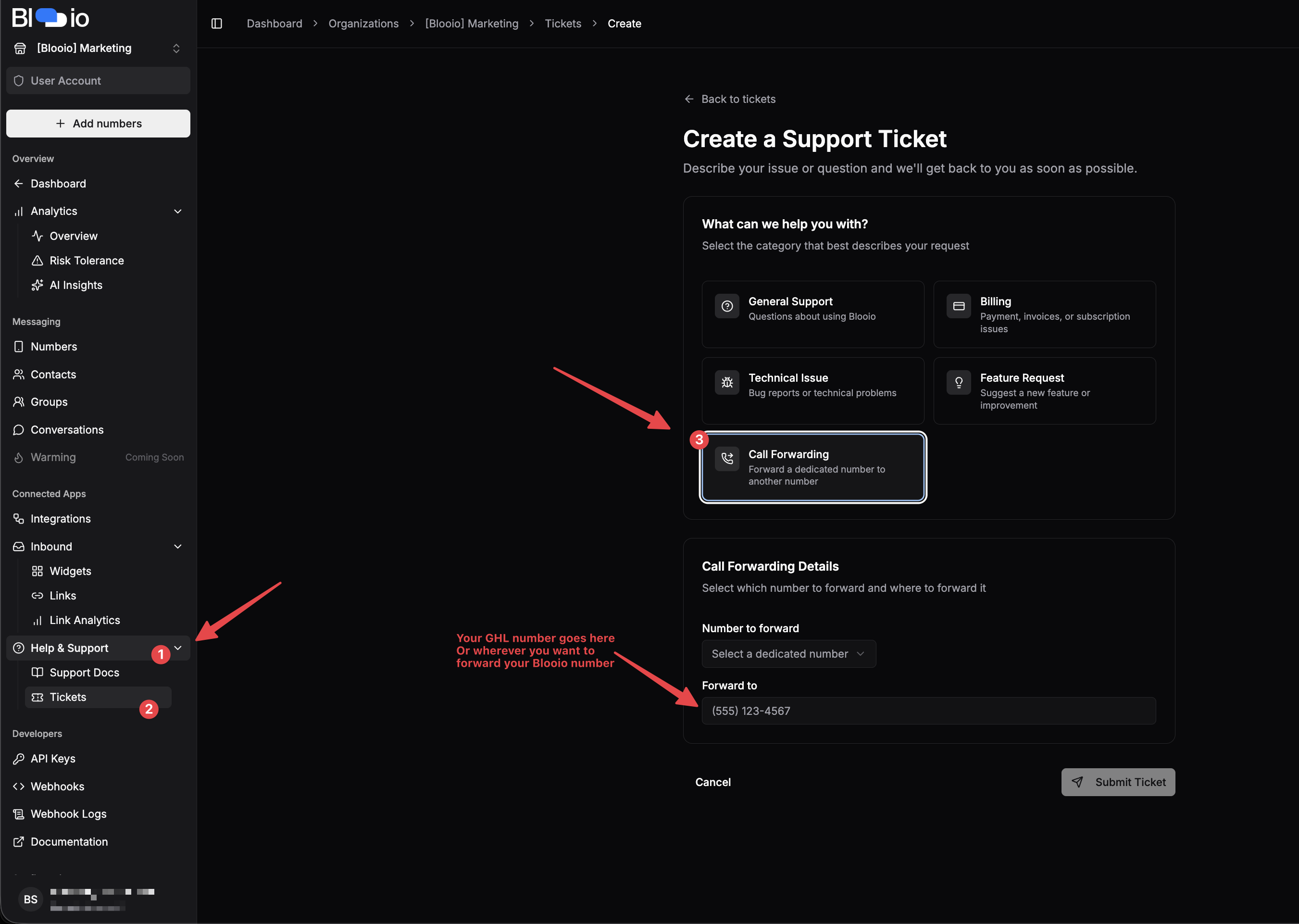
Help and guidance for How to make calls from your Blooio Number.
At the end of this tutorial you’ll be be able to
✅ Make phone calls from your Blooio dedicated device
✅ Use the native High Level dialer
✅ Use all the native High Level options for dialing. Like call recording, etc.
✅ All calls will show up in the conversation view in GHL as well
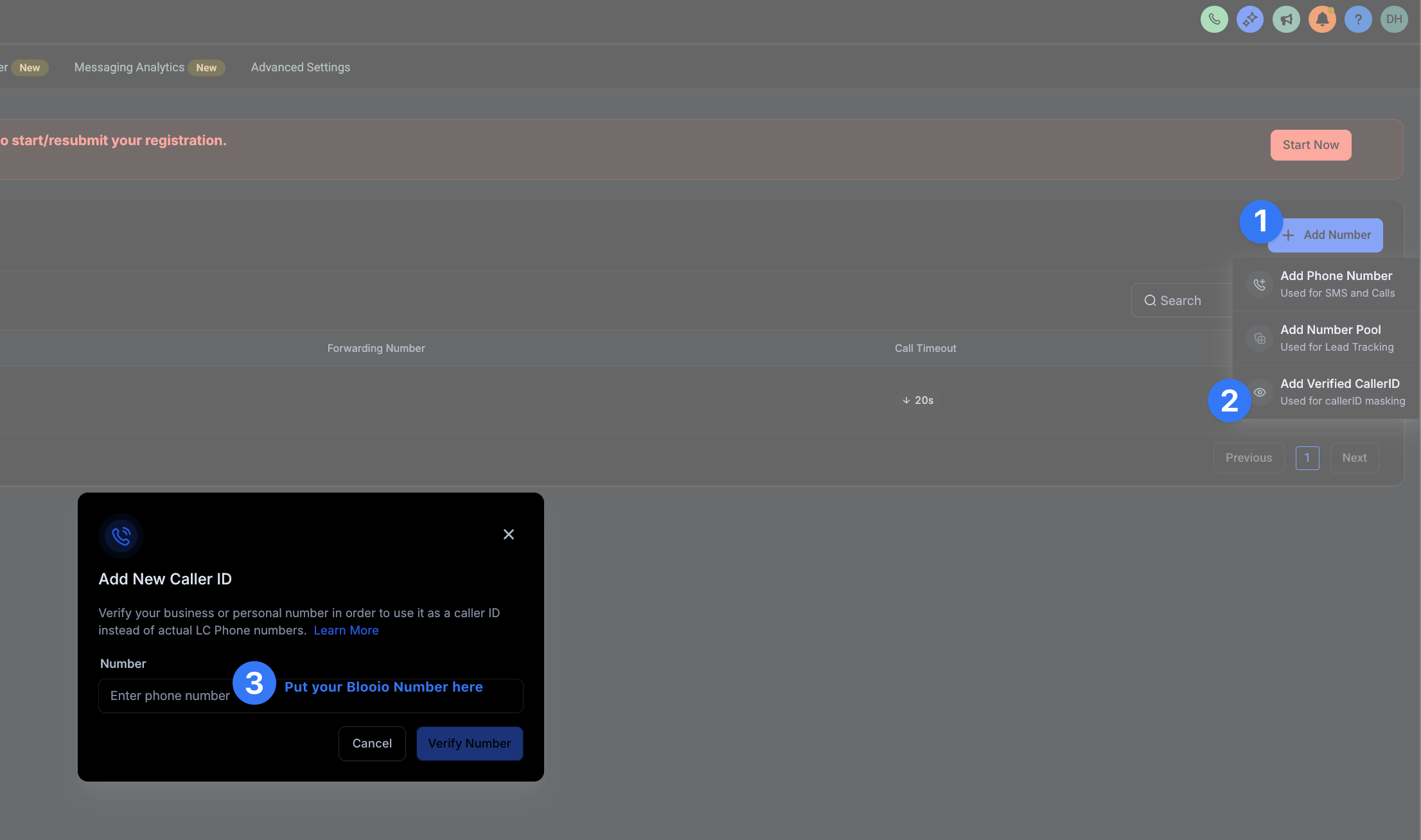
This step is important so we can add a verified caller ID.
This will call the Blooio number with a code. And since you sat up forwarding in step 2, you will be able to get the code. and add your Blooio number as a verified calledID
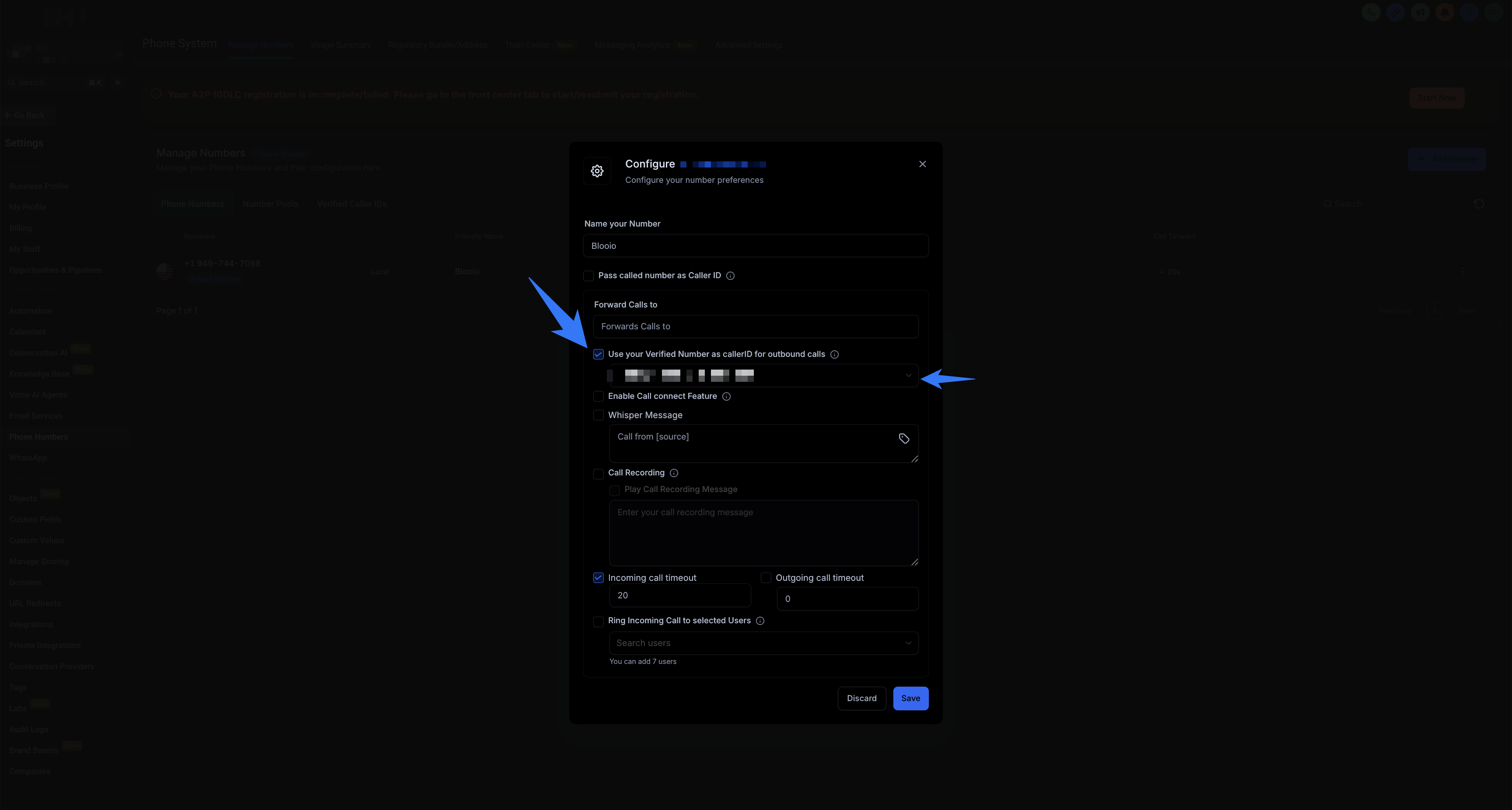
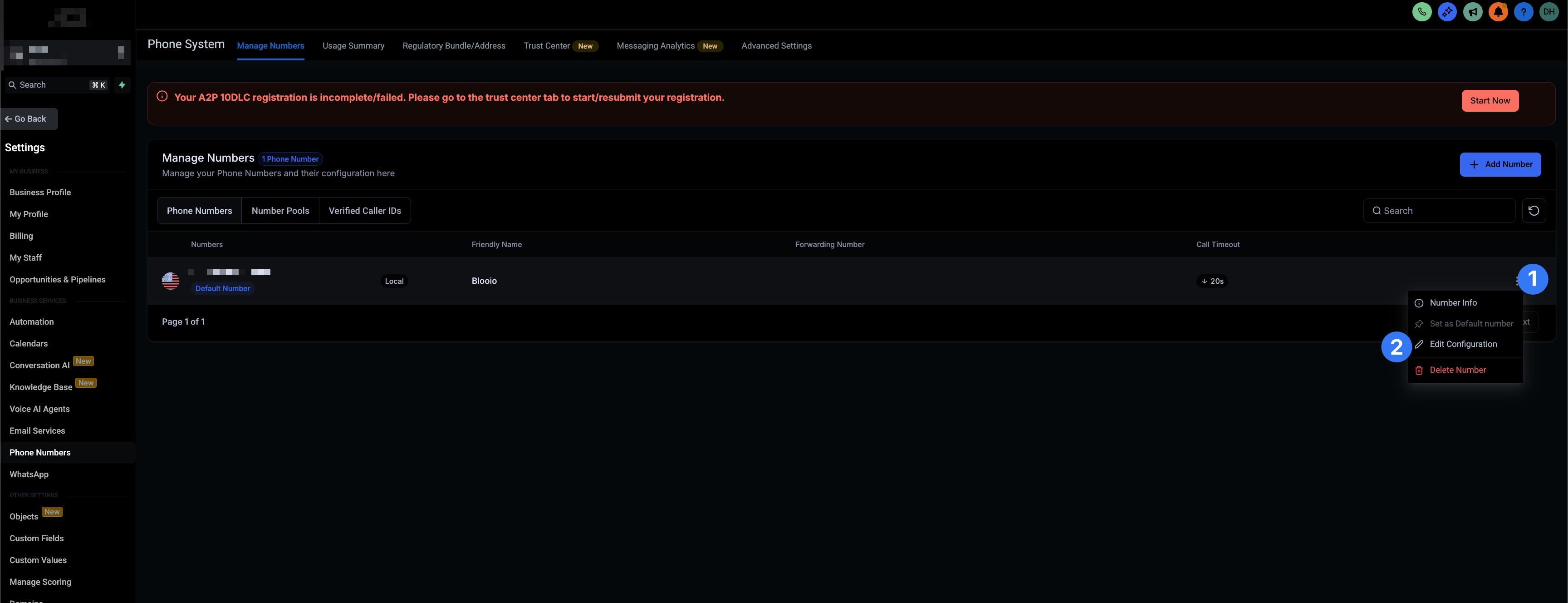
Click on the 3 dots right next to the number you bought in step 1. Then choose Edit Configuration then have it use the verified called id we just sat up
Mark the checkbox that says Use your Verified Number as CallerID for outbound calls then choose your Blooio number from the dropdown