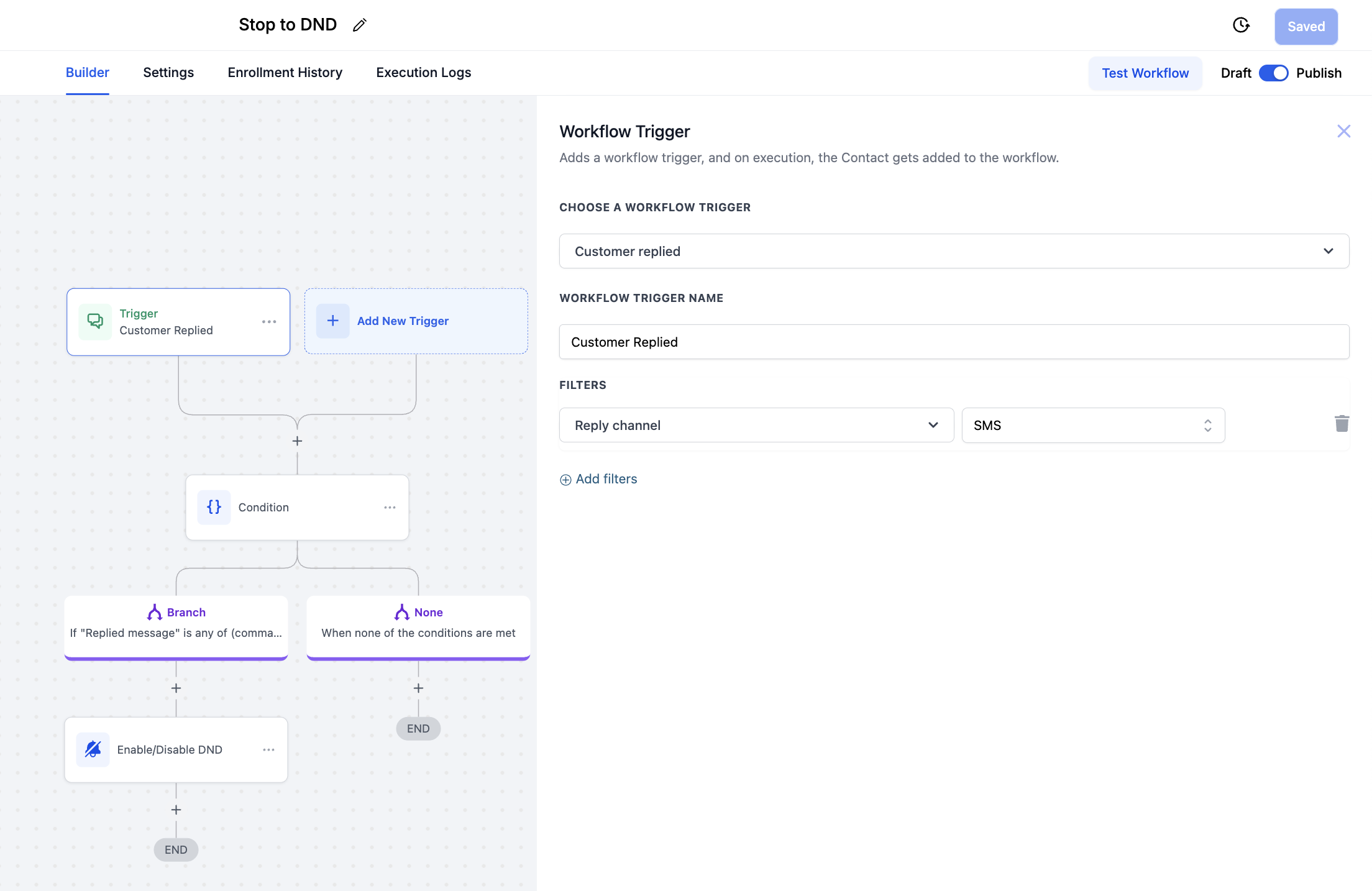
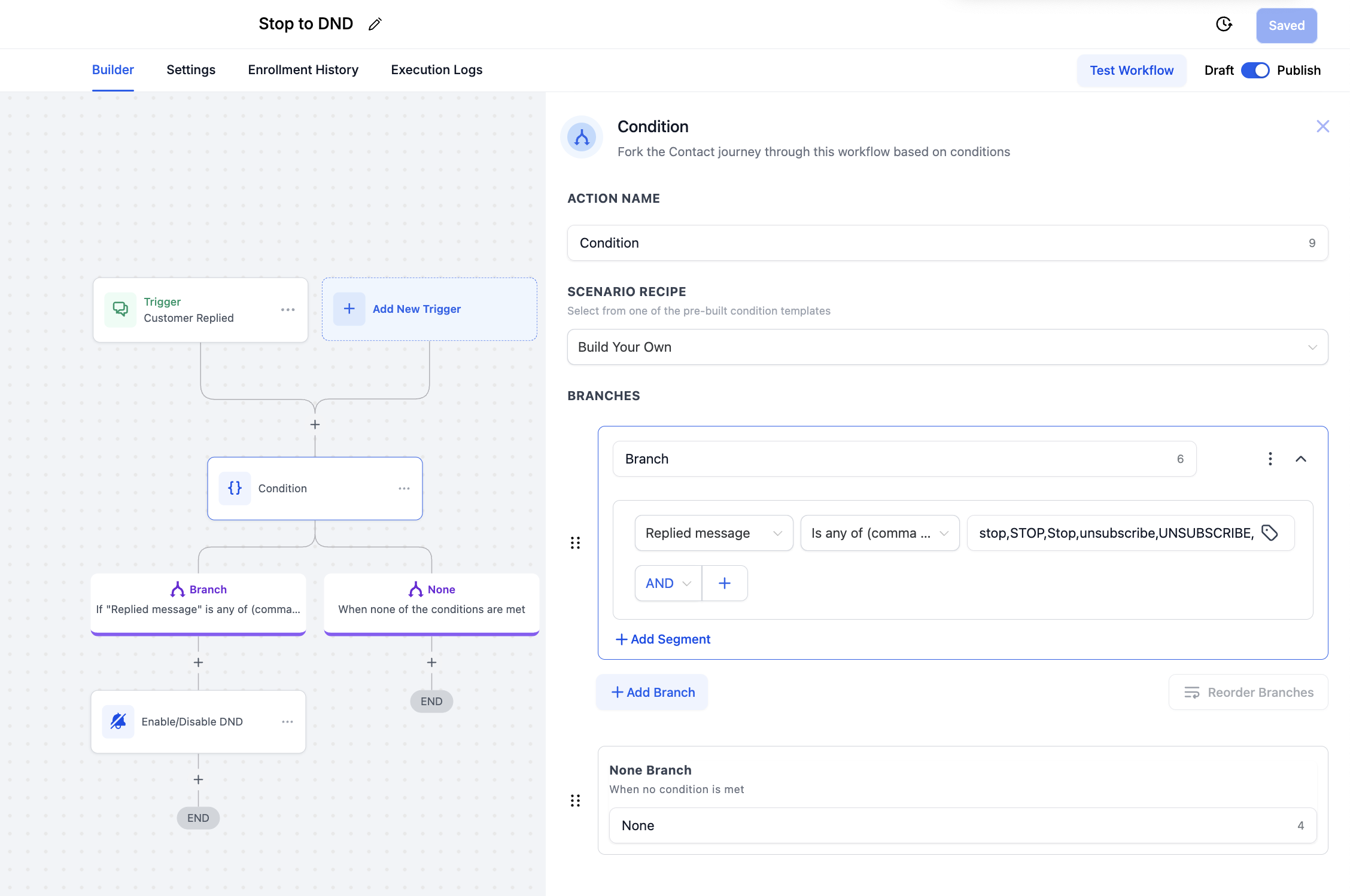
Create the WorkflowFrom the left sidebar, click Automation > Workflows.Click + Create Workflow, then choose Start from Scratch (or use a blank workflow template).Add the TriggerClick Add Trigger.Choose the trigger type Customer Replied.Under Channel, select SMS.Add an If StatementAdd an If/Else condition node.From the branch option, select Replied Message.Set the condition to is any (comma separated).Enter the responses or keywords you want to detect.Add additional nodes as needed for each outcome.✅ Tip: You can add as many keywords or phrases as you need, separated by commas. HighLevel will detect any that match.Activate the WorkflowTurn on the workflow.Test by sending one of the keywords you entered to verify the logic is working correctly.👉 See the screenshots below for a visual reference: