Going live on Apple Messages for Business is three steps: set up a sandbox, finish the bot, then ask Blooio to submit Apple's Experience Review. Apple looks at the whole conversation, not just whether a message sends.
#You need to be a qualifying business
Apple Messages for Business is for businesses customers already expect to hear from. Consent-based support, order updates, bookings, and account help qualify. Cold outreach, scraped lists, and bulk blasts do not.
The same bar is in Blooio's Acceptable Use Policy. In particular, do not use the channel for SHAFT categories — sex, hate, alcohol, firearms, or tobacco and cannabis — unless you already have the consents and age checks those categories require. Phishing, impersonation, and anything unlawful are out entirely.
#The three steps
- Set up a sandbox. Create an internal test account and connect it to Blooio.
- Build and finish the bot. Every flow Apple will watch has to work on a real iPhone.
- Ask Blooio to submit the Experience Review. Only your messaging provider can send it to Apple.
#Step 1. Set up a sandbox
A sandbox is an internal test account in Apple Business Register. It has no public logo, and only the Apple Accounts you add as testers can message it. Follow How to get an Apple Messages for Business sandbox. You will need a Blooio organization first.
On the account type step, open Advanced and choose Internal test account. Name it, pick Blooio as the messaging platform, then paste the Business ID into Integrations in Blooio.
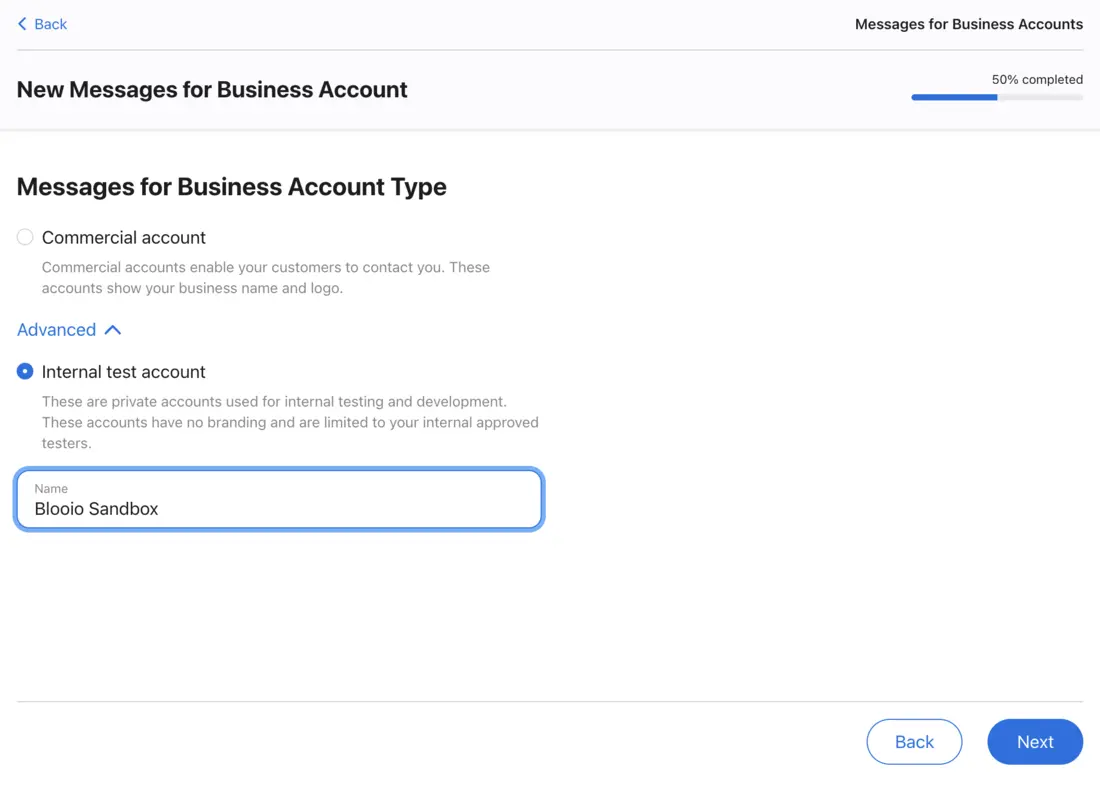
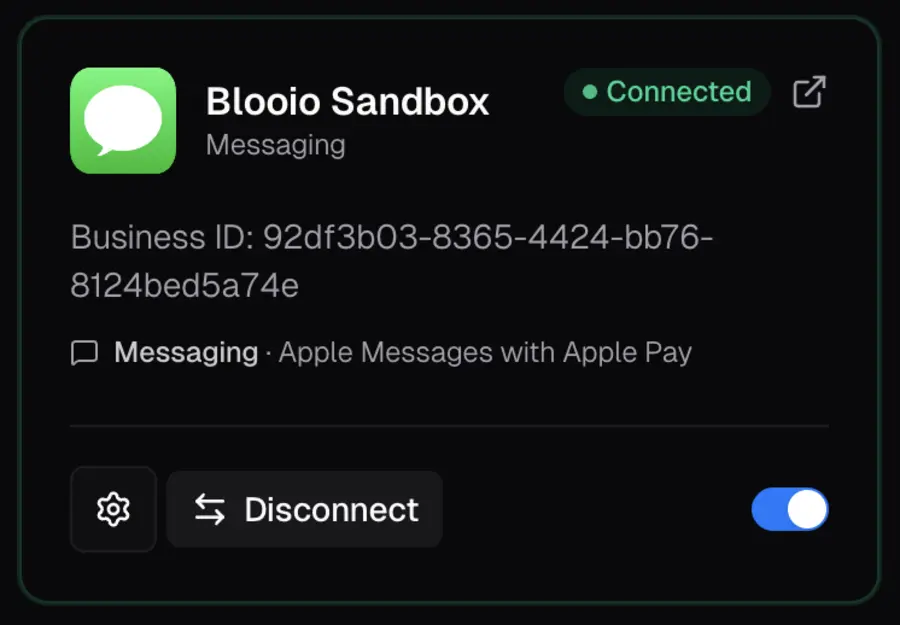
Use this connected sandbox for every test in the next step. Do not build the review against a commercial account that customers can already open.
#Step 2. Build and finish the bot
Apple's Experience Review is a recording of the full journey in that test account: the link a customer taps, the welcome, how you learn what they want, each main task, the handoff to a person, what happens outside business hours, and how the chat ends. A bot that works but reads like a text blast, dumps raw links, or leaves someone stuck will fail.
The full checklist is Pass the Apple Messages for Business Experience Review. Before you ask for a submission, the sandbox should already do all of this:
- The bot says it is automated at the start of every new conversation, and every person introduces themselves by name.
- The first reply arrives within 5 seconds, with a typing indicator before messages.
- A person is available during business hours. Outside those hours, the customer is told when someone will be back.
- Unknown intent gets a Quick Reply of your top four reasons plus Something else. Every path resolves, reaches a person, or offers more help.
- Links are Rich Links, not bare URLs. Policies are Rich Links, sent once, not pasted into the thread.
- You call it Apple Messages for Business. The words agent, help, and menu do something useful.
- You tested the whole journey on an iPhone, and on a Mac.
#Step 3. Ask Blooio to submit the Experience Review
Only the messaging service provider can send the review to Apple. When the sandbox journey is finished, ask your Blooio representative to submit it. Blooio records the iPhone flow, sends it to Apple with a short summary of each part, and brings Apple's feedback back to you.
Ask Blooio to submit the Experience Review.
Most brands need one to three rounds. Fix every note Apple sends, retest the whole journey on a phone, and Blooio resubmits with a change summary. When Apple approves, the account is converted to commercial in Apple Business Register and you can go live.
After launch, keep the approved experience. A slower welcome, a bare link, or a new flow with no path to a person can fail a later check. Tell Blooio before you add payments, sign-in, or a new use case so it can go through review first.
#Have Blooio build the bot
You do not have to build this yourself. Blooio can build the bot for your brand. The bot is already familiar with Apple's Experience Review, which makes it much faster to pass. Disclosure, a fast welcome, triage, a path to a person, and Rich Links are included.