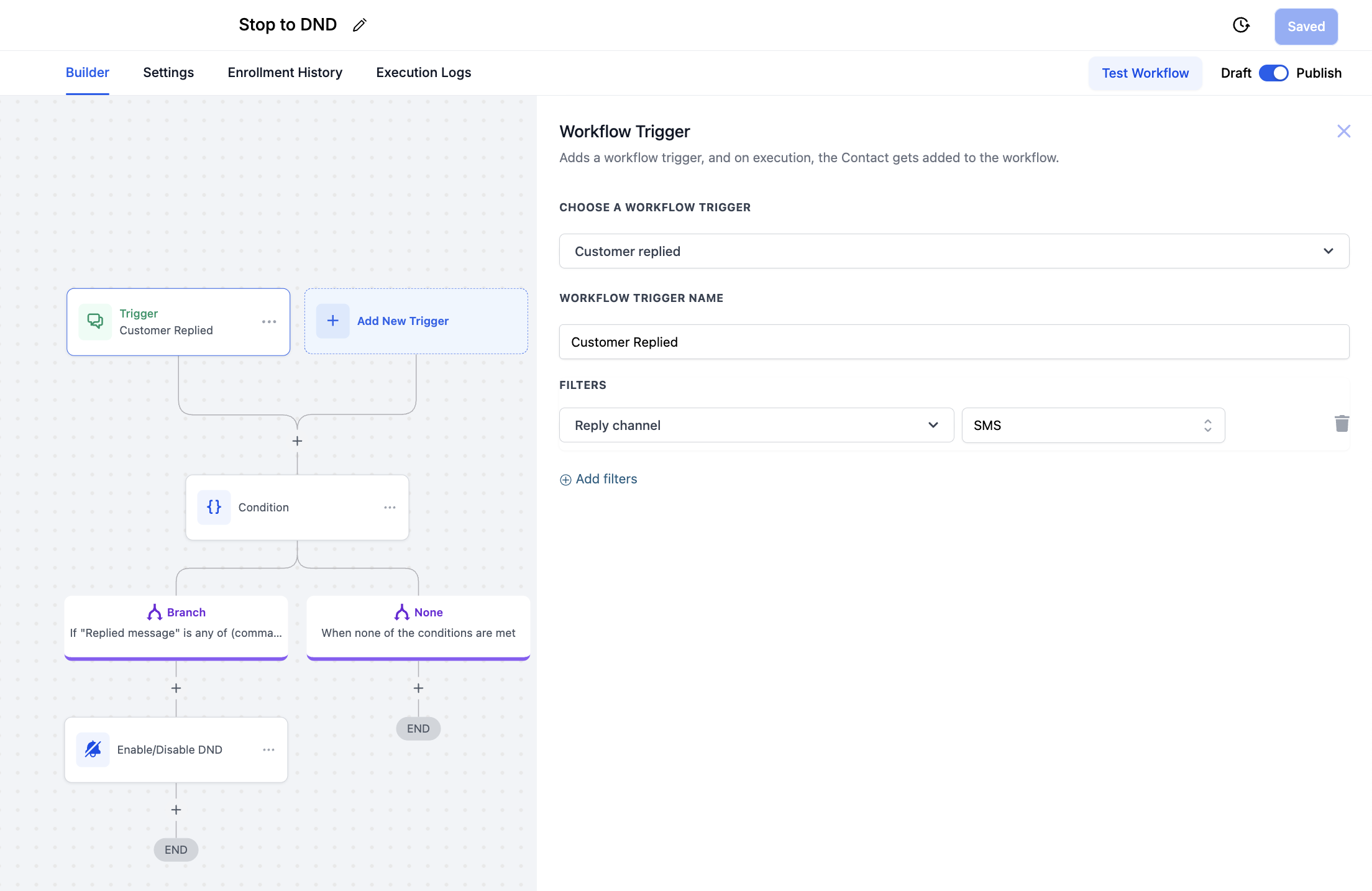
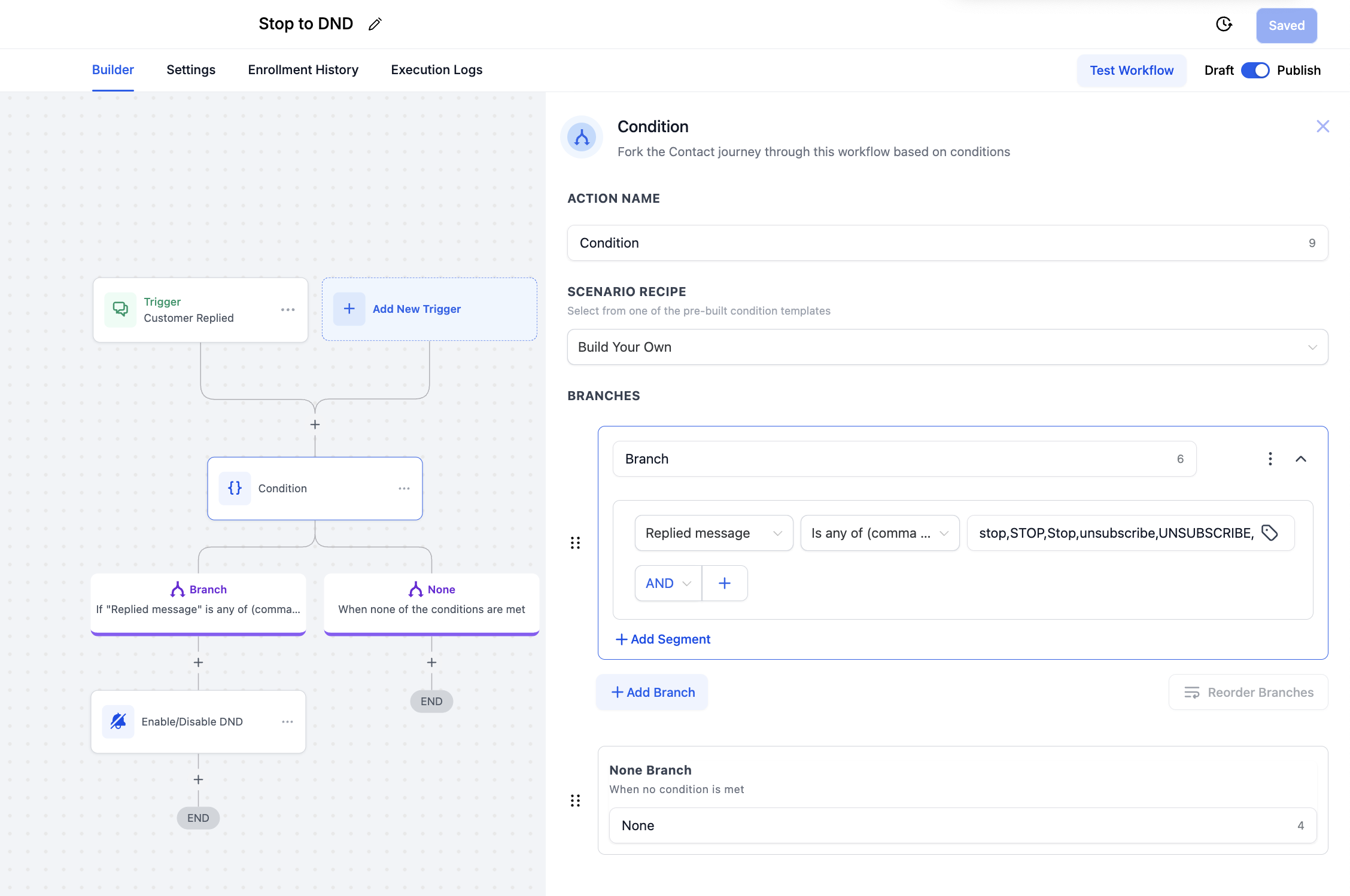
Create the WorkflowFrom the left sidebar, click Automation > Workflows.Click + Create Workflow, then choose Start from Scratch (or use a blank workflow template).Add the TriggerClick Add Trigger.Select the trigger type Customer Replied.Under Channel, choose SMS.Add an If StatementAdd an If/Else condition node.Set the condition: Replied Message → Contains Any (comma separated).Paste the following keywords:✅ Tip: HighLevel matching is case-insensitive, so you don’t need to include all caps, lowercase, and mixed-case versions.Enable DNDAdd the Enable/Disable DND action.Set it to Enable DND.Activate the WorkflowTurn on the workflow.Test by replying with “STOP” (or any keyword above) to confirm it correctly updates the contact’s status.👉 See the screenshots below for a visual walkthrough.