Open a support ticket from your Blooio dashboard so our team can help you fast — a quick, step-by-step walkthrough with screenshots.
Need a hand? The fastest way to reach the Blooio team is to open a support ticket right from your dashboard. Every ticket is linked to your account, so we can see your setup and help you faster. Here's how to do it in under a minute.
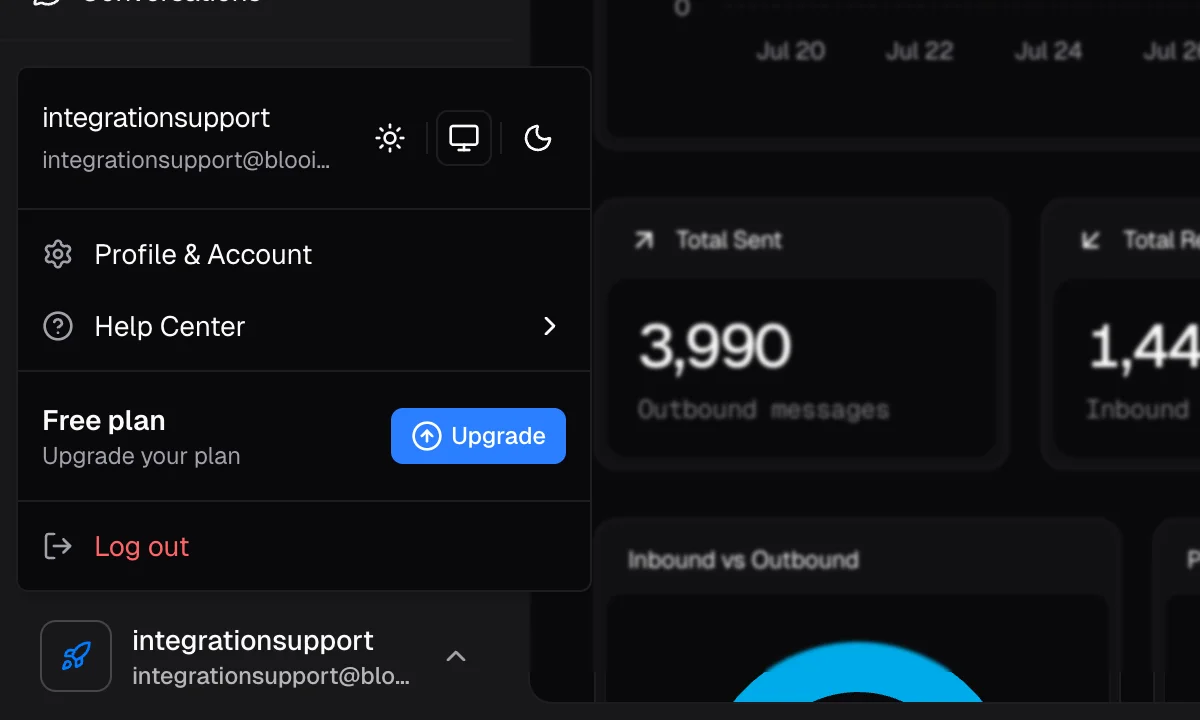
In the bottom-left corner of the dashboard, click your name and email address to open your account menu.
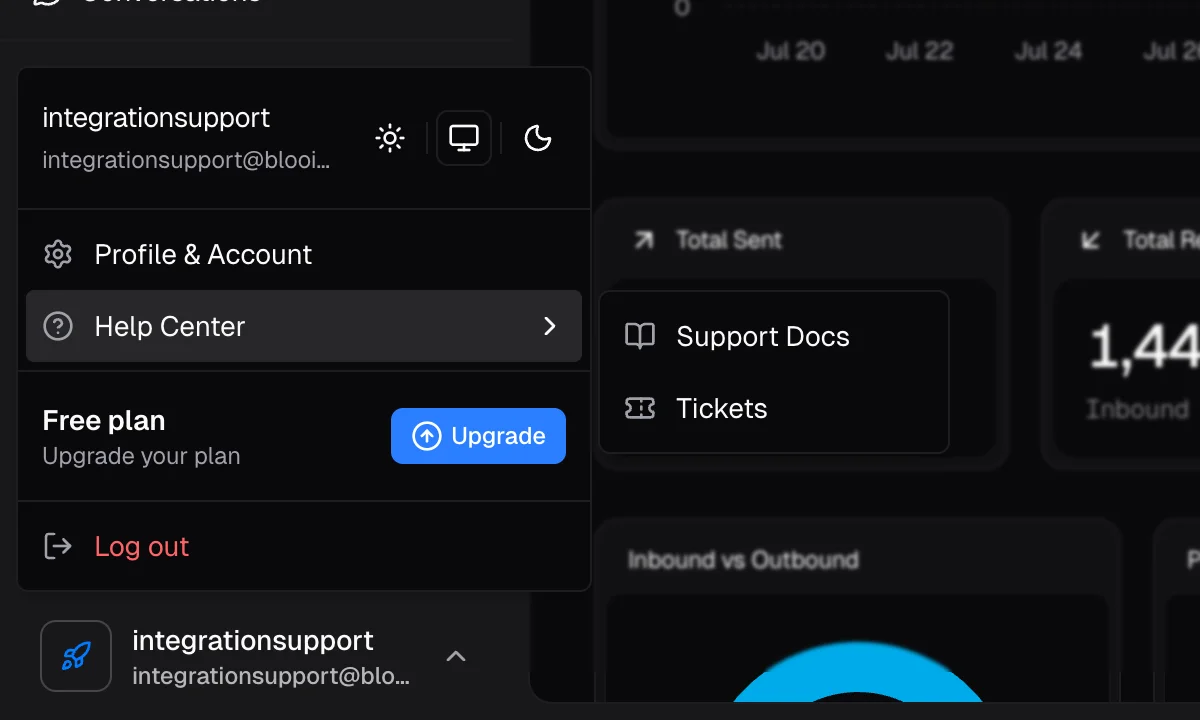
In the menu that appears, hover over Help Center to expand it, then click Tickets.
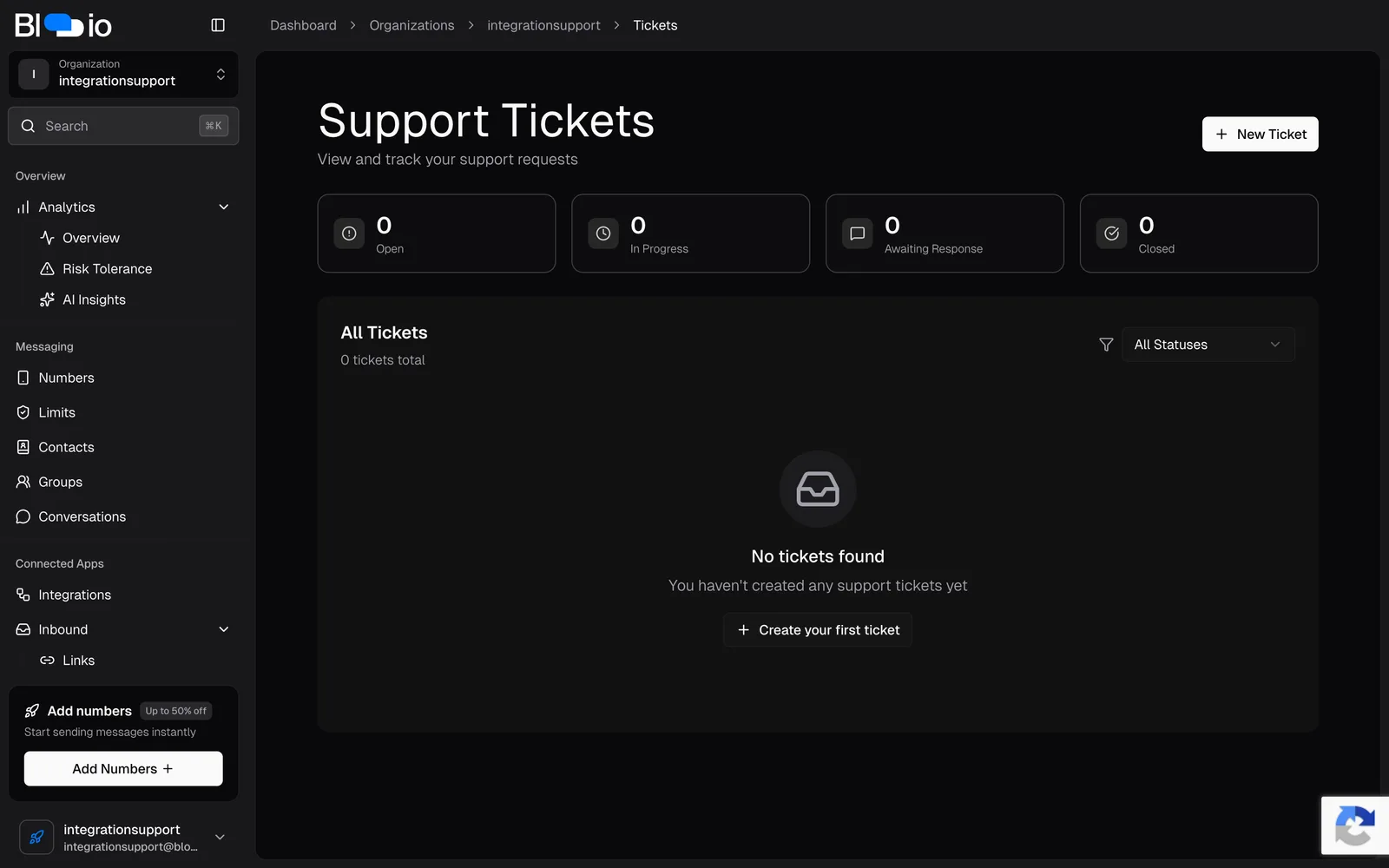
On the Support Tickets page you'll see all of your existing tickets and their status. Click New Ticket in the top-right corner to start a new request. If this is your first ticket, you can also click Create your first ticket.
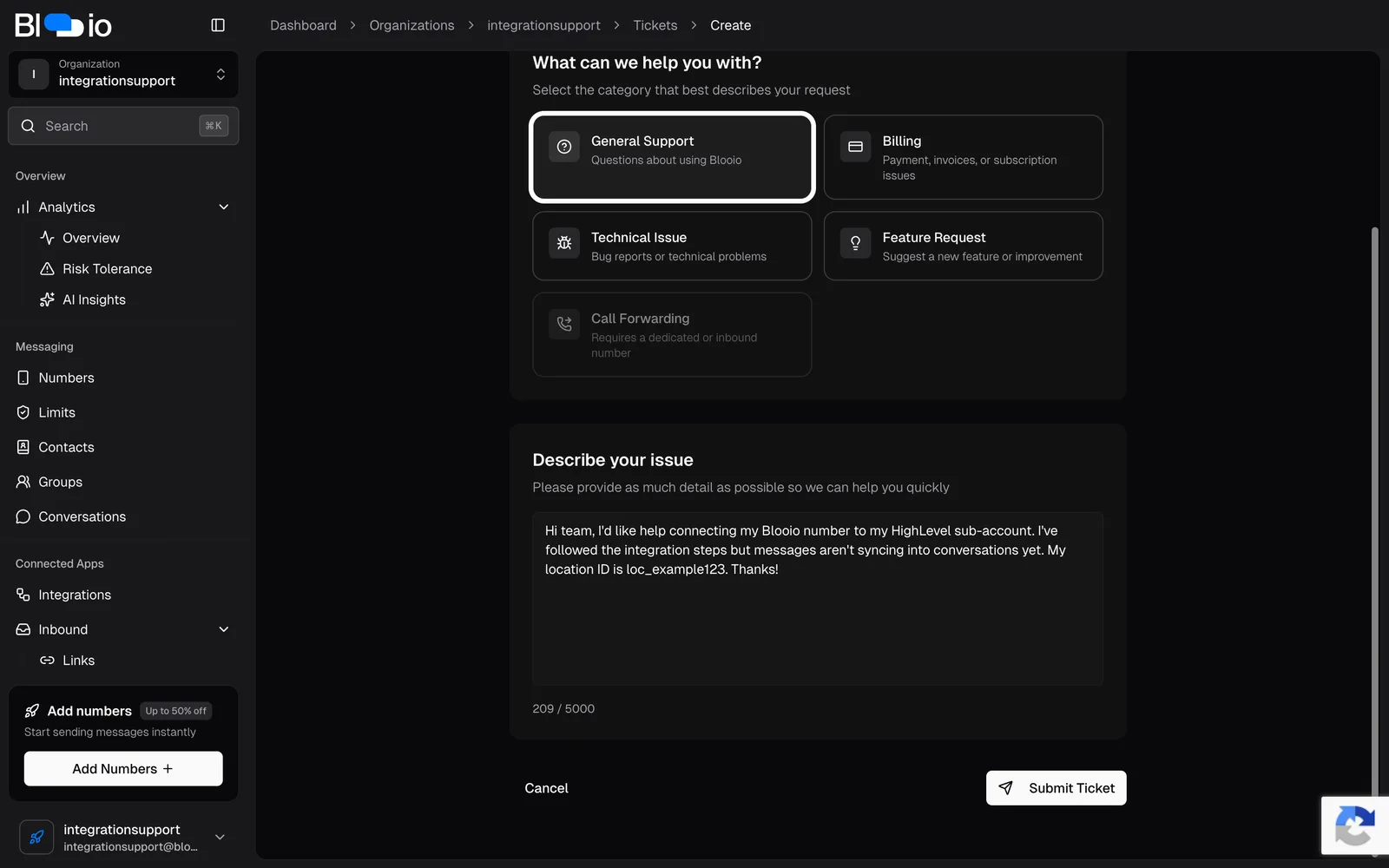
Pick the category that best matches your request — General Support, Billing, Technical Issue, or Feature Request. Choosing the right category helps us route your ticket to the right person.
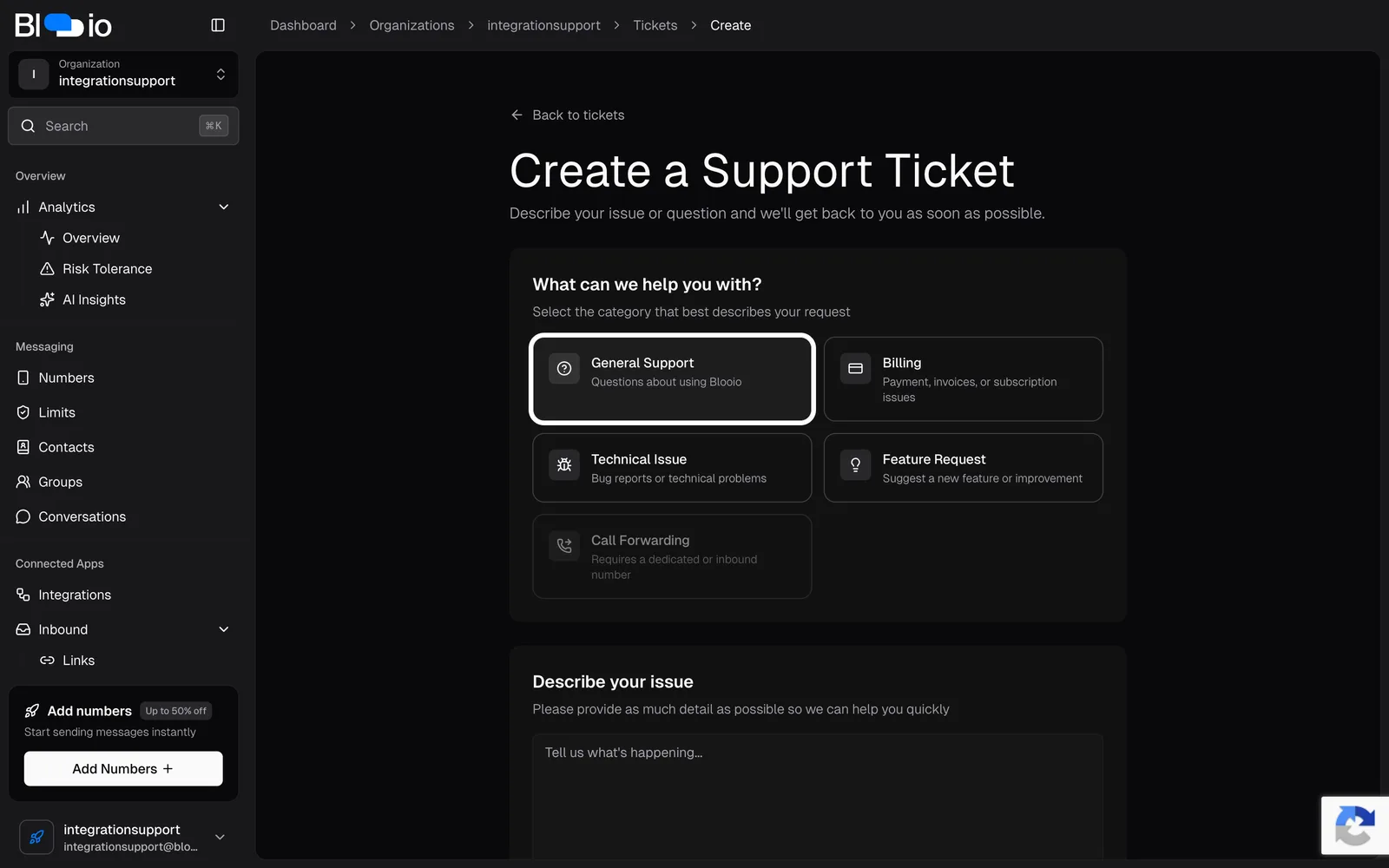
In the Describe your issue box, tell us what's happening in as much detail as you can. The more context you share, the faster we can help. When you're ready, click Submit Ticket.
After you submit, your ticket appears on the Support Tickets page where you can track its status — Open, In Progress, Awaiting Response, or Closed. We'll follow up by email and inside the dashboard as soon as we've reviewed it.